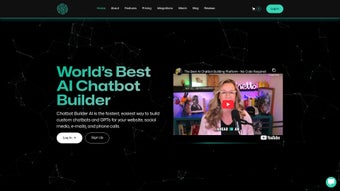

Download Chatgptbuilder – Fast AI Chatbot Creator for Web, Social Media, Email & Phone
In today’s hyper‑connected business landscape, customers expect instant, intelligent replies on every channel they use – from Facebook Messenger to email inboxes and even phone calls. Meeting those expectations traditionally required teams of developers, costly middleware, and weeks of configuration. Chatgptbuilder promises to collapse that timeline to just a few minutes, allowing anyone with a modern browser to launch a fully functional AI chatbot that can converse, qualify leads, and route tickets without writing a single line of code. Powered by the latest OpenAI GPT‑4 and Google Gemini models, the platform blends powerful natural‑language understanding with a visual workflow designer that scales from simple FAQ bots to complex, multi‑step support assistants. This review explores the core capabilities, step‑by‑step setup, cross‑platform compatibility, and the real‑world advantages and drawbacks you’ll encounter, helping you decide whether Chatgptbuilder is the right tool to accelerate your digital engagement strategy.
Overview & Core Features of Chatgptbuilder
Chatgptbuilder is a cloud‑native SaaS solution that abstracts the intricacies of large language models into an intuitive, drag‑and‑drop environment. The platform’s claim of “build a chatbot in 60 seconds” is backed by a series of automation layers that guide you from a natural‑language prompt to a live, channel‑ready assistant. Three pillars define the user experience: speed, flexibility, and insight.
Speed – From Prompt to Live Bot in Under One Minute
When you first log in, the dashboard presents a selection of industry‑specific templates (e.g., e‑commerce support, lead‑generation, appointment scheduling). By entering a brief description such as “customer support for a SaaS analytics tool,” the AI instantly generates a conversation skeleton complete with greetings, fallback intents, and suggested FAQs. You can edit the wording, add brand‑specific terminology, or import an existing knowledge base in seconds. Once you press “Deploy,” the bot is published to your chosen channels – Facebook, Twitter, Gmail, Outlook, or Twilio voice – within a minute, ready to field real user queries.
Flexibility – Prompt Builder for Beginners, Visual Workflow Designer for Power Users
The Prompt Builder lets non‑technical marketers describe desired outcomes in plain language, while the underlying engine translates those instructions into a structured dialog tree. For developers or agencies that require more sophisticated logic, the Visual Workflow Designer offers conditional branches, API calls, data lookups, and multi‑step interactions on a canvas that feels similar to popular automation platforms. This dual‑mode approach means you can start simple and evolve your bots without migrating to a new tool.
Insight – Real‑Time Analytics and Built‑In Marketing Automation
Every interaction is logged and visualized on a real‑time analytics dashboard. Key performance indicators include session duration, intent resolution rate, conversion funnel progression, and revenue attribution. The platform also bundles marketing utilities such as automated follow‑up emails, lead scoring, and A/B testing of response variations. These features turn each conversation into a measurable growth driver, allowing you to iterate quickly based on data.
White‑Label Enterprise Option
For agencies or large enterprises that need brand consistency, the White‑Label edition lets you rebrand the entire portal with your logo, custom domain, and tailored UI. You also gain access to dedicated account management, SLA‑backed uptime, and the option to host the solution in a private cloud or on‑premises for stricter compliance needs.
- One‑click deployment to social media, email, and voice channels
- Dual‑mode builder: natural‑language Prompt Builder and visual Workflow Designer
- Integration with OpenAI GPT‑4 and Google Gemini for cutting‑edge language understanding
- Real‑time analytics, conversion tracking, and AI‑driven optimization
- Built‑in marketing automation (email follow‑ups, lead scoring, A/B testing)
- White‑label enterprise version with custom branding and dedicated support
- GDPR‑compliant data handling, role‑based access control, and end‑to‑end encryption
Installation, Compatibility, Pros, Cons & Frequently Asked Questions
Step‑by‑Step Setup and Usage
- Sign Up: Visit the official website, create a free account with your email or use SSO via Google or Azure AD.
- Verify & Choose a Plan: After email verification, select Free, Pro, or Enterprise. The Free tier supports up to three active bots with basic analytics; Pro unlocks unlimited bots, advanced reporting, and priority support.
- Connect Channels: Navigate to the “Channel Integration” panel and link Facebook Pages, Twitter accounts, Gmail/Outlook, or Twilio for voice. OAuth wizards handle authentication securely, so you never expose credentials.
- Create Your First Bot: Click “New Bot,” pick a template or start from scratch, and follow either the Prompt Builder or Workflow Designer workflow.
- Deploy & Test: Press “Deploy.” The system generates a webhook URL and a built‑in simulator lets you test interactions before going live. Send a test message from the connected channel to confirm everything works.
- Monitor & Iterate: Use the Analytics Dashboard to review performance metrics, tweak intents, or launch new A/B tests. All changes are applied in real time without downtime.
Cross‑Platform Compatibility
Because Chatgptbuilder runs entirely in the cloud, it works on any operating system that supports a modern browser. This includes Windows 10/11, macOS Monterey and later, popular Linux distributions, and mobile browsers on Android 8+ and iOS 13+. The responsive UI ensures a seamless experience whether you’re designing bots on a desktop or reviewing analytics on a tablet.
Supported operating systems: Windows, macOS, Linux, Android, iOS (via web browsers)
Security, Updates & Data Privacy
All data in transit is protected by TLS 1.3, while at‑rest encryption uses AES‑256. The platform receives automatic updates that keep the underlying AI models, security patches, and feature set current without any user intervention. Enterprise customers can opt for a private‑cloud or on‑premises deployment, gaining full control over data residency and compliance.
Pros & Cons
- Pros
- Lightning‑fast bot creation – live bots appear in under a minute.
- Dual‑mode builder serves both non‑technical marketers and seasoned developers.
- Seamless integration with major social, email, and voice platforms.
- Comprehensive analytics and built‑in marketing automation.
- White‑label enterprise option enables reselling under your own brand.
- Fully cloud‑based – no local installations, automatic updates.
- Cons
- Advanced workflow features may require a learning curve for beginners.
- Free tier limits active bots and depth of analytics.
- Requires constant internet connectivity; offline use is not possible.
- Enterprise white‑label pricing can be steep for small agencies.
- UI customization beyond branding is limited in standard plans.
Frequently Asked Questions
Can I use Chatgptbuilder without any coding experience?
Yes. The Prompt Builder lets you describe the bot’s purpose in plain language, and the AI automatically creates a functional conversation flow. No programming is required to launch a basic chatbot.
Which AI models power Chatgptbuilder?
Chatgptbuilder leverages OpenAI’s GPT‑4 and Google’s Gemini models, delivering state‑of‑the‑art natural language understanding and generation.
Is the data I collect with the chatbot secure and GDPR‑compliant?
Yes. All data is encrypted in transit and at rest, and the platform provides tools for data export, anonymization, and deletion to meet GDPR requirements.
Can I integrate my existing CRM or ticketing system?
Absolutely. Chatgptbuilder offers webhook support and pre‑built connectors for popular CRMs such as Salesforce, HubSpot, and Zendesk, allowing you to push leads or create support tickets directly from conversations.
What is the pricing structure for the Enterprise white‑label version?
Enterprise pricing is custom‑quoted based on the number of bots, expected conversation volume, and hosting preferences (cloud vs. private). Contact the sales team for a tailored proposal.
Conclusion – Is Chatgptbuilder the Right AI Chatbot Builder for You?
Chatgptbuilder distinguishes itself in a crowded market by delivering on its promise of “one‑minute bot creation” while still offering deep analytics, marketing automation, and a robust visual workflow designer. For small businesses that need a quick, cost‑effective way to engage customers on social media and email, the Free and Pro plans provide ample power without a steep learning curve. Larger enterprises benefit from the White‑Label option, private‑cloud deployment, and SLA‑backed support, turning the platform into a scalable customer‑interaction hub.
The main considerations revolve around the learning curve for advanced workflows and the cost of scaling to enterprise‑level usage. If you can allocate a few hours to explore the visual designer and are comfortable with a cloud‑first architecture, the return on investment—measured in faster response times, higher conversion rates, and reduced support staffing—can be significant.
Ready to transform your customer conversations? Download Chatgptbuilder today and start building AI‑driven chatbots that engage, convert, and delight— all within seconds.



.png)



